Grid Monitor — our own device that watches the power
A small device sits in the outlet and sends a Telegram message when the power goes out and when it comes back. We made it in two versions, because homes differ: in some the router survives a blackout, in others it goes dark along with the power. Pro measures the voltage and sends the message itself. Home goes silent along with the power, and our server notices that silence. We built the firmware, the bots, the server, the product site and the manuals ourselves.
Noticing that the power is gone is easy.
Telling someone about it is harder.
Any appliance in an outlet goes dark together with the power, and often the router goes dark with it. Yet the message has to be sent exactly when there is no power, and maybe no internet either.
There is no single answer that fits every home. Where the router runs on backup power, the device can send the message itself. Where the router goes dark, only someone outside can send it, someone who notices that the device has gone silent. That is why there are two versions.
Two versions
for different conditions.
Pro: the bot lives inside the device
Pro measures the voltage in the outlet and sends the Telegram message itself, through its own bot built into the firmware. There is no server in the middle, so there is nothing to pay after the purchase.
Pro: it lives longer than the blackout
Its own battery and up to a day of running with no power. If the outage drags on, the device goes to sleep carefully so that a deep discharge does not ruin the battery, and wakes up by itself when the power comes back.
Pro: events do not get lost
The home Wi-Fi may go away together with the power. The queue of events sits in memory that survives a loss of power, so not a single message is lost, and the length of the outage is counted by the device's own clock.
Home: the signal is silence
Home runs only off the outlet and keeps checking in with our server. Every check-in is signed with the board's own key, so nobody can fake an outage or hide a real one. Silence means the power is gone, and the message is sent by the server. That is why Home works even when everything at home goes dark, router included.
Home: it does not mistake an internet drop for a blackout
The server waits out a short silence before reporting an outage, and the person chooses in the bot how long to wait. If the power was on and it was the internet that dropped, a correction follows: “The power did not go out”.
Home: it updates itself
The board fetches new firmware over the internet and writes it only if the file carries the workshop's genuine signature. It will not install someone else's firmware, and nobody has to drive out to devices already sold with a cable.
Both: setup without apps
The device brings up a Wi-Fi network of its own, and the setup page opens on the phone by itself. Changed the router, and the device offers to pick the new network by itself.
The bot in Telegram,
the devices and the product site.
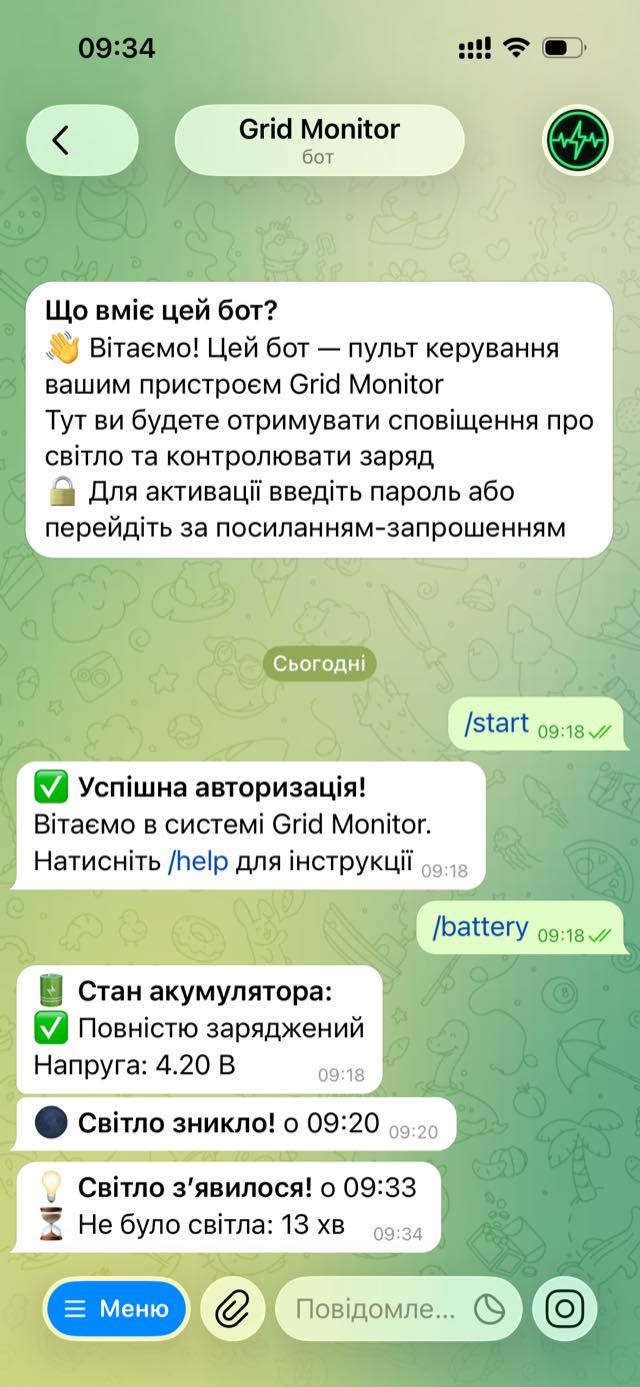
A real outage, Pro
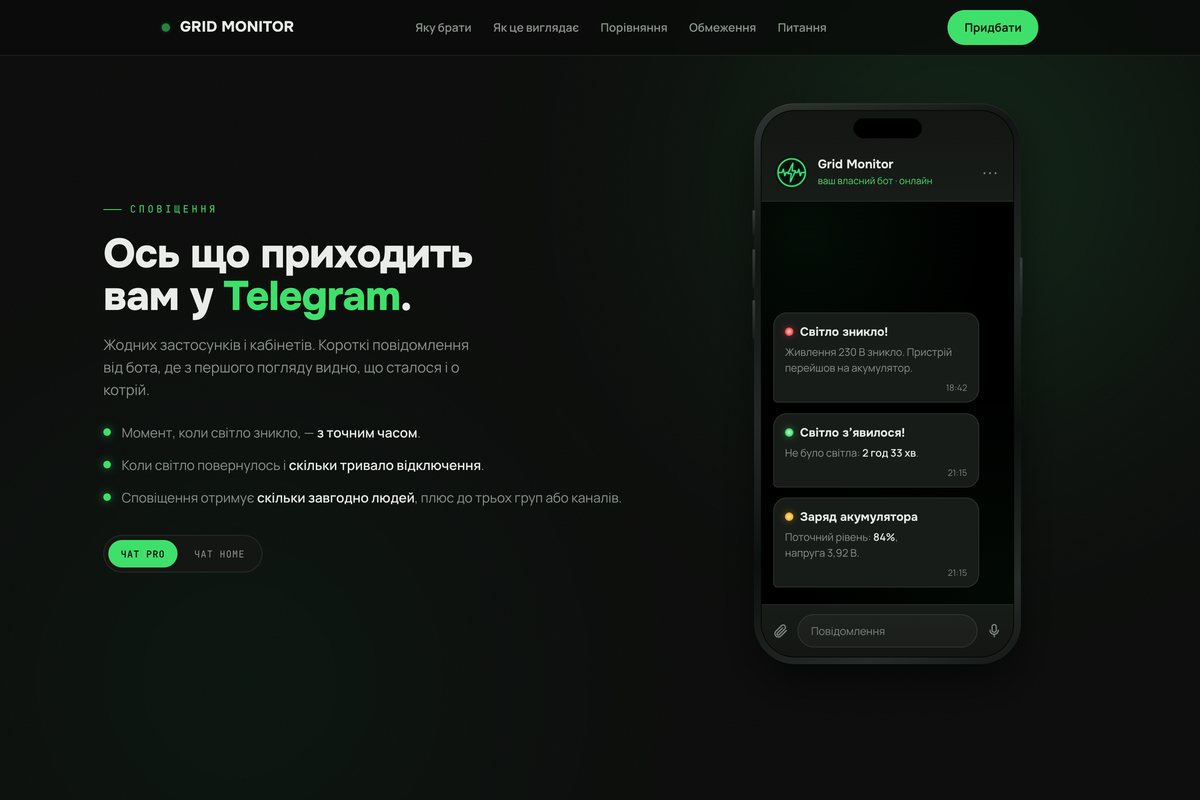
The bot messaged on its own that the power went out at 09:20 and came back at 09:33, along with how long it lasted. Above that — the battery charge on request.
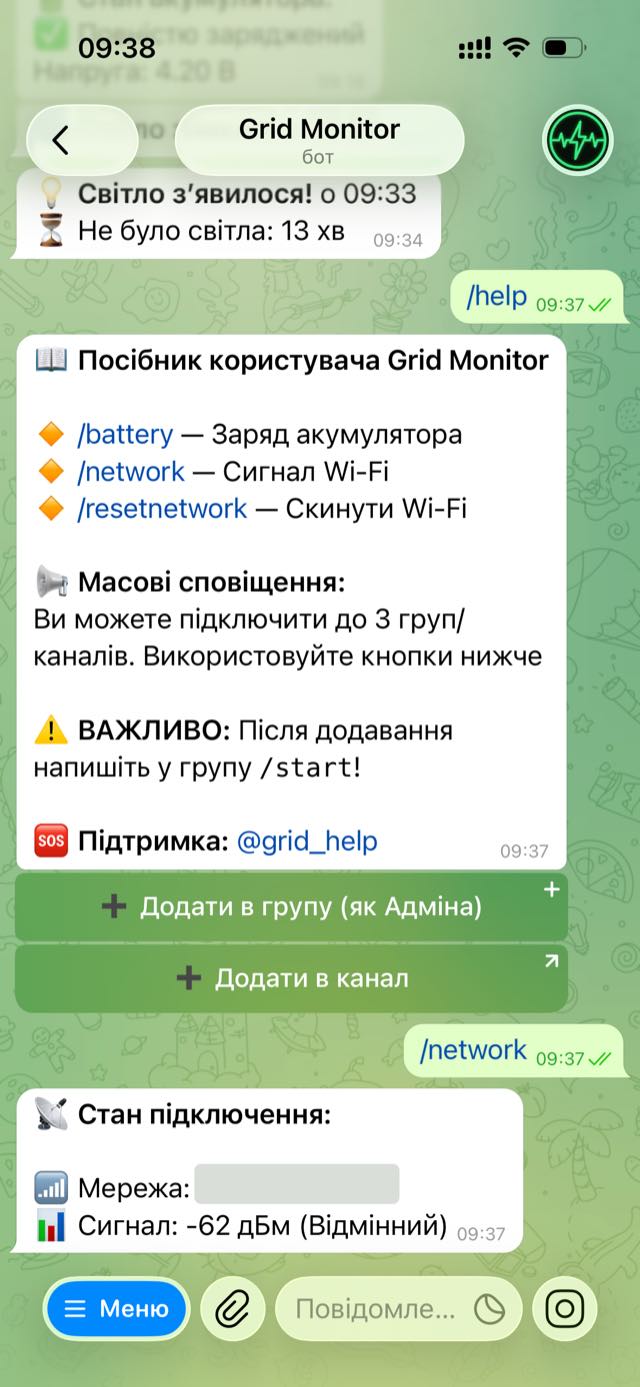
Help and the state of the connection
The /help command shows the buttons for adding the bot to a group or a channel. /network — the quality of the Wi-Fi signal. We blanked out the network name in the screenshot.
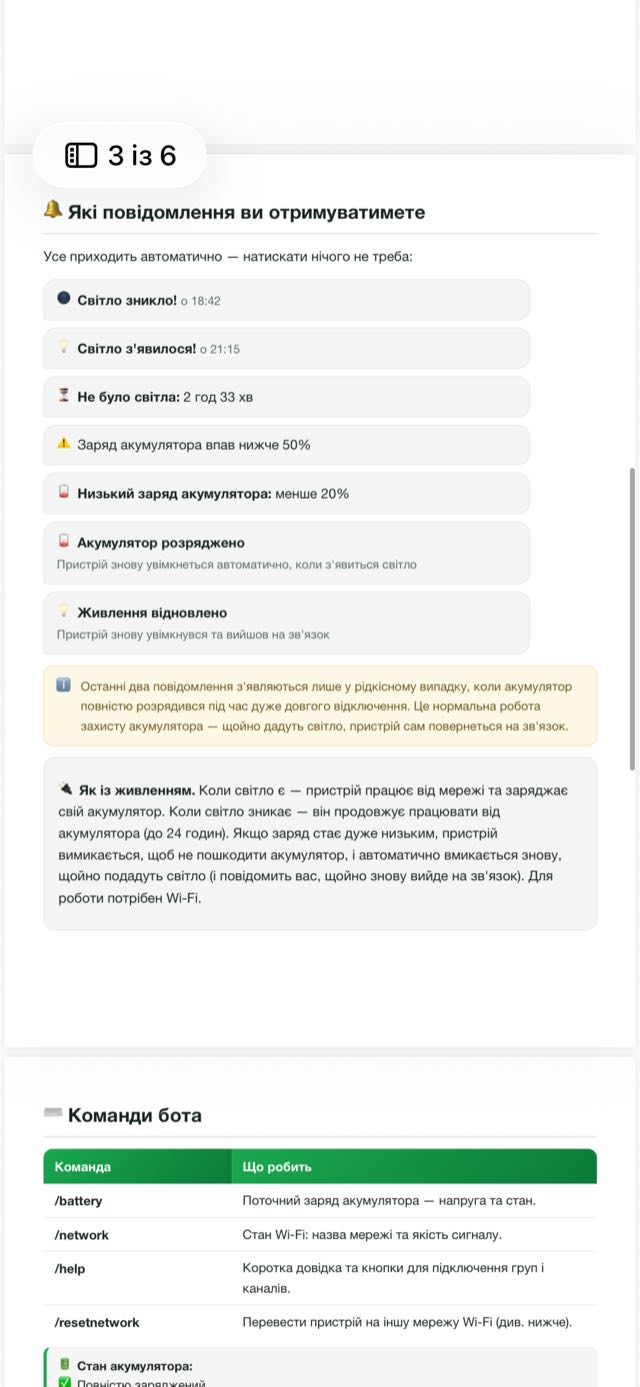
The Pro manual
Setting up in two steps, which messages arrive, the bot's commands and what the color of the indicator means.
The devices
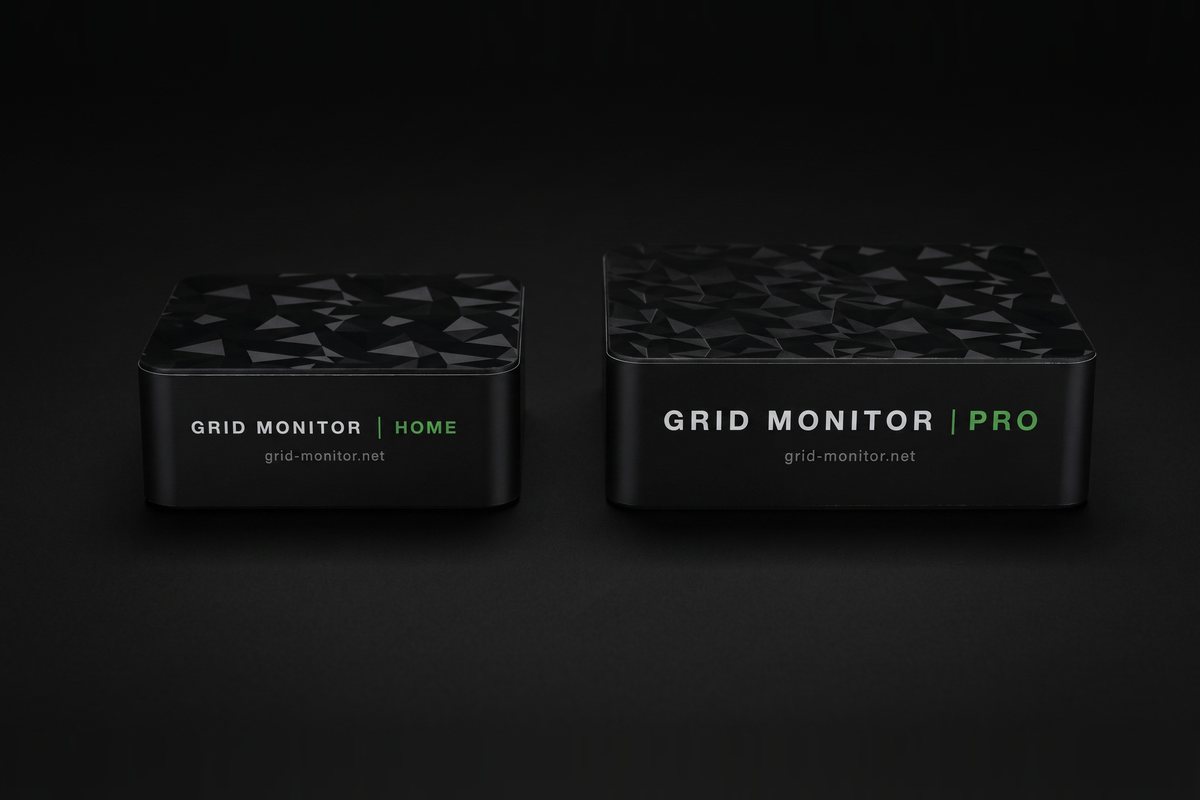
Home on the left, Pro on the right: it is bigger and has a battery. The box is the same for both: the device, a power supply and a USB-C cable.
The product site
The job did not end with the devices: people also had to understand which version to take. grid-monitor.net settles that with one question: does your router keep working when the power goes out. After that it shows which messages arrive in Telegram, compares the two versions line by line and gives an honest account of how each one behaves.
We take a product to the point
where it can be used without us.
We take on the whole job
The firmware, the bots, the server, the site and the manuals were made by one team. The client does not have to bring several contractors together, wait for one of them while another finishes, and listen to which of them is to blame.
A server only where there is no way around it
Pro does without a server entirely. Home cannot work without one: its signal is silence, and only someone outside can notice silence. So the server appeared exactly there and nowhere else.
We think about what happens later
The Wi-Fi password changed, the internet went away, the device rebooted, the outage dragged on well past a day. These are everyday things that happen every week, and the device has to live through them without us stepping in.
We test in real conditions
Pro lived through real outages: with the internet dropping, the router rebooting and long blackouts. That is where things showed up that you never see on a desk by flipping off a power strip.
The same works for more than power
Anywhere somebody has to look in and check from time to time, that job can be handed over to a program. Whether a request came in, whether the stock ran out, whether all is well at the warehouse: the program checks on its own and messages you. Tell us what you have and we will show you what it would look like.